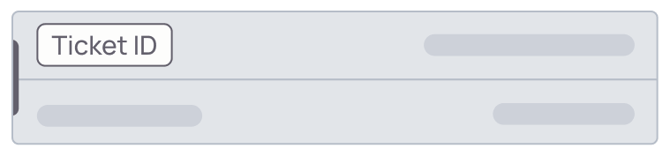
Here's a helpful legend for easy reference of your average Spearhead ticket.
From the Ticket
Each ticket has a middle menu with tabs that contain different threads of activity or information:

Logged work separates the logs agents make on the ticket into a broken down chronological view.
Info has the ticket notes and details, along with any forms, checklists, and items on the order.
Media is attached pictures, files, and videos.
Time sheet hasall the time logged for the agents on the ticket.
Signature onlycomes up if there is a signature requirement for the ticket.
Review has the ticket creation information, assignments, time dated logs, and where an agent submits the ticket for review for it to be accepted or submitted for changes.
Additionally, each ticket has icons in the upper right hand corner for adding to a ticket's activity:
To learn more about each log addition, check out this Add Functions for a Ticket article.
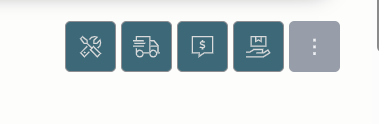
The first icon is a labor log, then a travel log, then an expense, and a POS log for products attached to the ticket.
From the Ticket Card
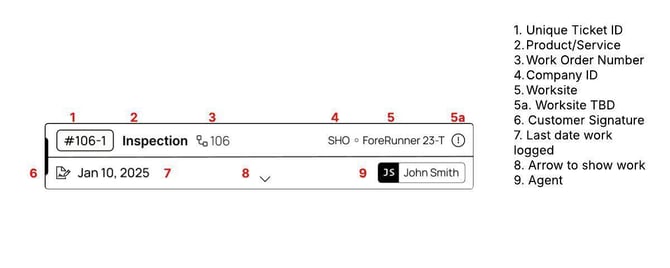

A. The unique ticket ID generated. This is referenced on reports, communications, and all the ticket logs.
B. The ticket type.
C. The work order reference number.
D. The Customer.
E. The work site. IF this reads TBD, it means the agent creating the ticket had an unconfirmed worksite and declared it TBD to still perform the work.
F. The last date work was logged on the ticket.
G. The agent performing the work.
H. Arrow to show work details.
Ea. This exclamation mark icon may appear next to the site ID. This icon refers to a work site that was created during the ticket generation phase with a TBD tag. So this work site (at the time of the ticket's generation) was created with a tentative site name which may not be its official site name.

Next to the Date may be a Customer Signature icon, you may see this:


When this icon is on a ticket, it means that a customer signature is required for the ticket.
When it's grey, it means a signature has been collected and added to the activity log.
When it's red, it means a signature has not been collected. NOTE: This does not prevent an agent from submitting the ticket for review.
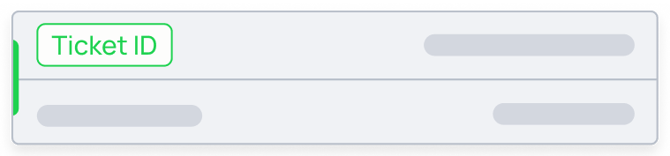
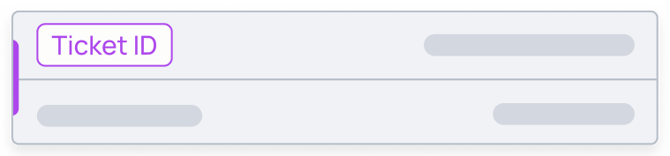
Additionally, you'll see colors surrounding the Ticket ID.
BLUE means a ticket is newly created and has no work in the activity log.
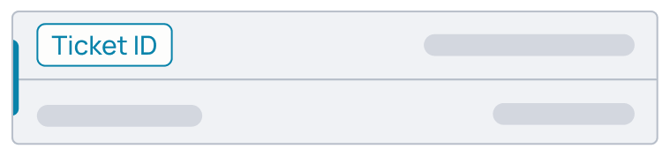
GREEN means a work has been added to the ticket's activity log.
PURPLE means a ticket has been submitted for review.
The background of the ticketcard also indicates one of two things:
A white background means the ticket is active in the workflow.
A greyed out background means the ticket has been approved, archived, or closed.