
Checklists are a tool within Spearhead to clarify the processes of execution for common tasks. Create checklists from your back office role to add transparency to steps within a recurring or commonly executed ticket type.
Checklists can be required or not required depending on how it's set up in the organization settings.

Both the checklists in the picture above are included when a ticket of that ticket type is generated, but only Survey a Worksite is required. When a checklist is required, it prevents the agent from submitting it for review until it is complete:

Follow these steps to create a checklist. Once you have one or many checklists within your Spearhead organization's digital repository, you can add them to your ticket types so those checklists are automatically added to any ticket that's created using that ticket type.
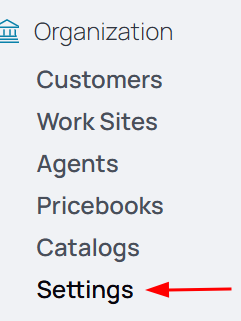
1. From your nav menu, select Settings under Organization.
2. From the middle menu, select Ticket Types.

3. Select the ticket type you'd like to add the checklist to.
4. Select the Edit icon.

5. Select from the available checklists.
6. Click Submit to add the checklist to the ticket type.