
Deletions are important to keep your records organized and relevant. No records are irrelevant - so no profile (agent, worksite, etc.) is deleted, rather it's archived so it does not contribute to confusion. Anything that's archived can be retrieved.
To archive, follow these steps:
1. Find the organization, job site, agent, or customer.
2. Choose the Edit details icon.

Worksite:
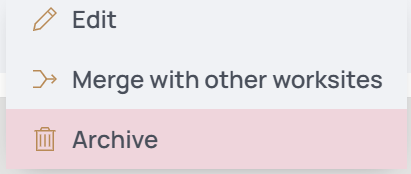
Agent:

Once done, you can unblock and allow access again from the same Edit Agent form.

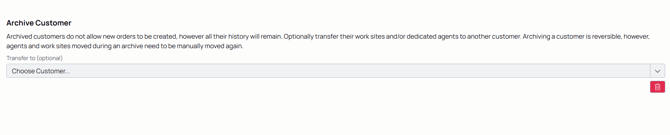
From your backoffice role, you can archive customers. This does not permanently delete them, but does stop the ability to create work for them (work orders, tickets, logs, etc.). Archive customers by editing their customer profile:
Agents can also archive logs on tickets and archive tickets they created. Follow these steps to archive or reinstate archived work.
1. Using the nav menu, select Tickets under Operations. Or find the ticket from your dashboard.
2. Select the ticket.
3. Delete the log in question by hovering over it and selecting the Delete button.

4. To retrieve that log, go to the Archived Work tab of the ticket.

5. Find the log in question.
6. Hover over it to reveal the Reinstate button.

7. This reinstates the log directly into the ticket's activity log.
For a backoffice user to archive a ticket, it's important to note that a ticket can't be archived if it has work on it. So the backoffice user or agent must delete the logs first before it can be archived.
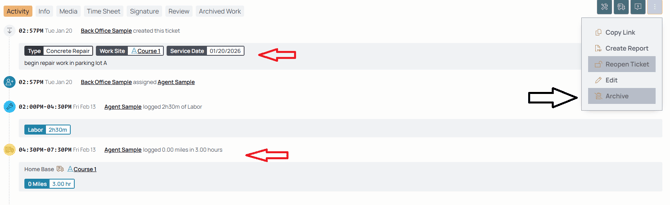
1. Use the More menu to find the archive option. Notice in the above that it's greyed out because of the existing logs on the ticket.

2. Once you've archived the logs by hovering over it, you can then archive the ticket.