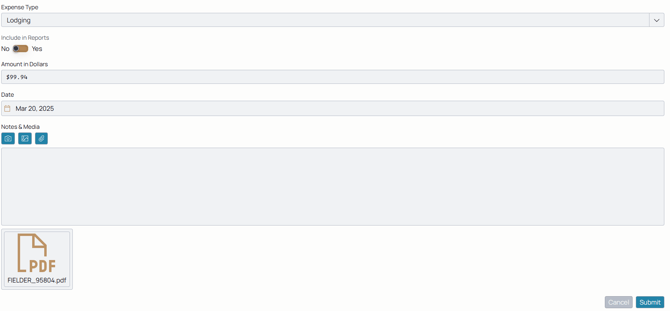
Expenses are payments made by the employee during the completion of a job. They incur those costs with the understanding that they're to be reimbursed or will be reflected back on the client's invoices.
Using the toggle on report generation, they can be included in reports or not.


Expenses are logged on the ticket directly and included in the ticket's activity log for easy logging, editing, and reference.
A compilation of all of the agent's expenses can be found from the ticket details on the activity log. Follow these steps to log an expense.
Expenses cover a wide range of costs on a job:
- Travel: Tickets for transportation to a work site, car rentals, etc.
- Lodging: Costs of out of town rooms when an agent stays overnight on a job.
- Food: Payments for meals made while on a job
- Equipment: Tools, repairs, and replacements needed for work to be completed.
Ticket Details:
From here, you can use the attachment icons to include invoices, receipts, or pictures of them for easy verification.