
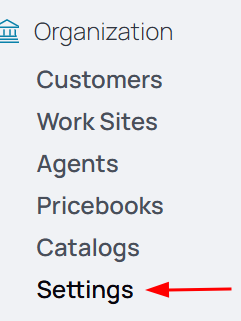
1. From the nav menu, select Settings under Organization.
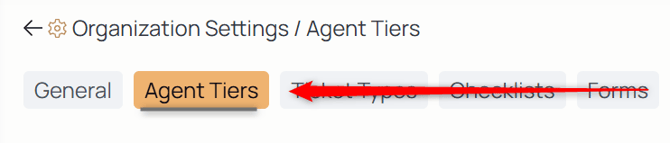
2. Using the middle menu, select Agent Tiers.
3. Select the tier to which you're going to assign the agent.
4. Select the Add Agent icon:

5. From the dropdown, choose from the list of employees.
6. Select the Effective Date field.
7. Select the date.
Note: Whatever tier you add the agent to can be concurrent by selecting the current date, retroactive by selecting a past date, or proactive by selecting a future date.