
When there is an open closed-by-date work order, view the open work order from your agent dashboard or the work order tab on Spearhead.
1. From the nav menu, select Work Orders under Operations.
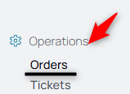
2. Ensure there is an open work order first.
3. Select the Add Ticket icon.
4. Select the ticket type.
5. Select the date field.
6. Choose the execution date for the ticket.
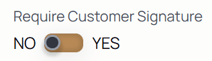
7. Change the customer signature requirement if necessary, choose yes or no from the toggle for that specific ticket.
7. Select the work site from the Work Site dropdown.
Note: These work sites are only from the customer's existing work sites, not all customers.
8. Type details in the instructions box.
9. Select Create Ticket to enter the ticket into the agent's workflow. After the ticket is created, you're directed to the ticket's Activity tab.