
Once you've followed these steps to generate a checklist and a ticket type, you can attach a checklist to a ticket type so that checklist is always attached when a ticket is generated.
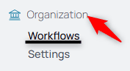
1. From your nav menu, select Workflows under Organization.
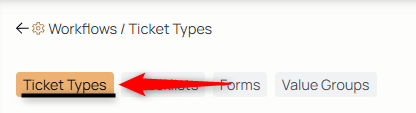
2. Using the middle menu, access ticket types:
3. Choose the ticket type from your library.
4. Use the edit button to edit the ticket type.

5. Choose the checklist or checklists.
6. You can make the checklist required for submission by checking the REQUIRED checkbox.

With that box checked, an agent can't submit a ticket for review until they've completed the required checklist on the ticket.

7. Select the Submit button to make the change to the ticket type.