
Desktop
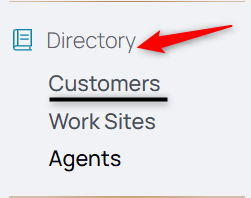
1. From the Nav menu, under Directory, select Customers.
2. Select the Add Customer icon.

3. Enter the company information in the fields.
4. Click Submit.
5. From the middle menu, select the Contacts.
6. Select the Add Contact icon.

7. Add employee contact information.
8. Select Submit.
From the middle menu, select Contracts.
9. Here you may add customer billing rules and upload contracts.
From the middle menu, select Pricebooks.
10. Here you can select the Pricebook the customer uses. Use a universal pricebook or create a new one, unique to this customer from Pricebooks. Learn more about this in How to Create and Assign Pricebooks.
11. Date the Pricebook and its use, either in the past or future-facing.
12. Add all other information from the back office side to complete the customer profile.