
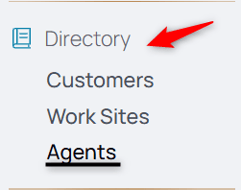
1. From the nav menu, select Agents under Directory.
2. Using the middle menu, select Agent Tiers.

To Create an Agent Tier
3. Select the Add Agent Tier icon:

4. Name the Agent Tier in the Title field.
5. Add any details ot the Description field.
6. Click Submit to create the agent tier.
To Add to a Preexisting Agent Tier
7. Select the tier to which you're going to assign the agent.
8. Select the Assign Agent icon:

9. From the dropdown, choose from the list of employees.
10. Select the Effective Date field.
11. Select the date.
Note: Whatever tier you add the agent to can be concurrent by selecting the current date, retroactive by selecting a past date, or proactive by selecting a future date.
Select Submit to add the changes to the agent tier.