
Mileage is type of activity logged on Spearhead. It covers a field operator's trips to and from a work site. Whether that's from a different work site, the office, or their home, all the mileage getting to and from the organization's work site is reflected on Spearhead.
Mileage rates apply and are paid back to the tech in accordance with their organization's policies. Related travel expenses like gas and lodging incurred while traveling are treated as expenses and also logged in Spearhead.
Follow these step by step instructions to add mileage to a ticket.
1. From your nav menu or your agent dashboard, select the ticket.
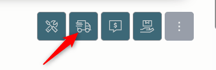
2. From the menu in the right hand corner, select the travel icon.
3. If you've got labor already logged on the ticket, it appears in blue on the sliders so you can't make duplicative travel and/or labor logs.

4. Choose the Departure Site from the dropdown field from the customer's list of sites. Or select the New Work Site and enter the guess if the worksite hasn't been created yet.
5. Choose the Arrival Site from the dropdown field from the customer's list of sites. Or select the New Work Site and enter the guess if the worksite hasn't been created yet.
6. Select the date of travel if it's not today's date.
7. Select the Multi-Day log if it spans more than one day to select the end date of the travel.
8. Use the slider or the time selector to choose the departure time.
9. Use the slider or the time selector to choose the arrival time.
10. Add the mileage for the travel log.
11. Include any additional details in the notes field or attach any supplemental files as attachments.

12. Click Submit to add to the ticket's activity log.