
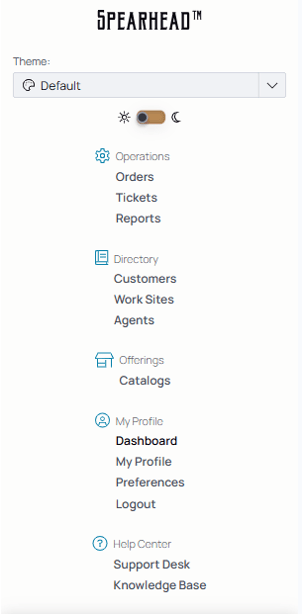
Navigation Menu: The panel that appears on the side of your desktop screen and on the bottom of your mobile screen to direct you between pages of Spearhead.
Desktop
Company logo at the top. Click this at any point to go back to My Dashboard.

Use the collapsible icon to expand the full Nav menu.

Mobile

From mobile, the company logo is in the middle. Click it to go back to My Dashboard.
The following icons represent different headings within Spearhead.

Operations, containing:
- Work Orders are how Spearhead organizes tasks that are or will be attributed to customers and performed by agents. This sorting system simplifies the distribution and sorting of work from customers to agent.
-
- There are two kinds of work orders, differentiated by their parameters for completion:
1. Closed by Completion indicates that a work order is complete when the defined parameters for the job have been met.
2. Closed by Date indicates that a work order is complete when a set date has been reached, usually concluding a long period of time.
- There are two kinds of work orders, differentiated by their parameters for completion:
-
- Tickets: Tasks created by supervisors or assigned agents issued after a request for work from the customer. Agents are assigned tickets and they add work (labor, mileage, and expenses) and submit the ticket for review.
- Insights: Analytics based on data within Spearhead.
- Reports: Generated reports by the user or users to view and download.

Directory, containing:
- Customers: List of customers of the organization and their profiles.
- Work Sites: List of worksites and their data (latitude and longitude, county, tickets, etc.).
- Agents: List of agents of the Spearhead organization and their profiles.
- Agent Tiers: Different classifications of workers within Spearhead to differentiate for billing and job purposes.

Offerings, containing:
- Catalogs: List of products and services contained within one or multiple catalogs.
- Pricebooks: One universal or multiple pricebooks to manage past, present, and future prices of goods and services managed by Spearhead. Including customers using each pricebook and agent tiers covered by said pricebook.

Financials, containing:
- Expenses: List of expenses based on spending on tickets per jobs, separated by internal and external expenses.

Organization, containing:
Workflows: Add and manage tools for tickets and efficiency from the Workflows tab.
-
- Ticket Types: Shorthand types for common types of jobs to generate tickets.
- Checklists: To attach to ticket types for execution during the completion of a ticket.
- Forms: Custom forms to input or maintain for their use within Spearhead.
- Value Groups: Entities in custom forms to sort and delete duplicative or incorrect user-generated entries.
- Settings: Use this to edit customer and organization settings, like invoice settings or the onboarding checklist.
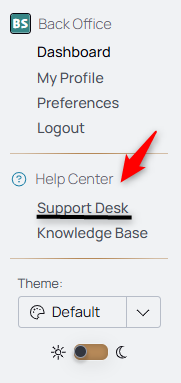
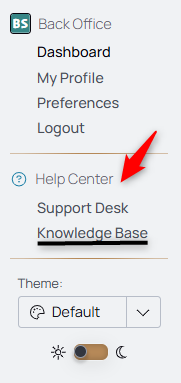
Expand the Profile from the navigation menu to see Support Desk and Knowledge Base for Help.
Preferences is where you'll find notification preferences and user settings for in-app or out of app usage.
Use Support Desk to access the chat function to ask for help.
Use the Knowledge Base to access documentation repository for guides, how-tos, and references for navigating Spearhead.
Mobile

The icons take you to the most frequently used parts of Spearhead.
 For Work Orders
 For Tickets
 For your Employee Dashboard
 For your Employee Profile