
Occasionally, when you log in to Spearhead, you may notice this banner or push notification:

You can select the Show Details button to access more detailed information about the update, its features, and its impact. Then select the Update button and Spearhead will automatically refresh with the latest update.
To get more information about any update of Spearhead, you can find the change log at the bottom of your dashboard from your home screen.
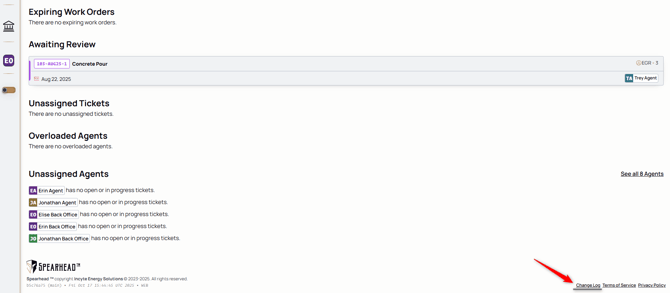
By clicking this, navigate to the change log page:
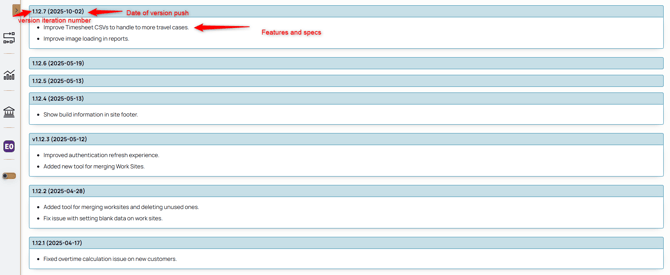
Here, you can access:
1. The Version Iteration: which is a reference number for each update of Spearhead that gets pushed.
2. The date the version was pushed.
3. And the features or the specifications of the exact push. This details any version changes, feature additions or enhancements, and but fixes or patches.