
When a user is using a location dropdown field, the first option is always New Worksite...
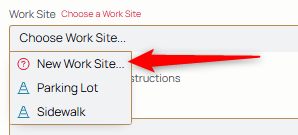
When selected, a best guess field then appears. The agent names it their best guess so it appears on the log with that name.

This is an option when
- Creating a work order/ticket
- Selecting a destination or arrival for a travel log
That then appears as an unconfirmed worksite. This is so that, even if the agent doesn't know for sure if this worksite exists for the current customer, they can still make their logs or create the ticket. Backoffice can then name or claim the worksite and all the logs under that "guess" appears in the log and resolves all of them as that named or claimed site for that customer.
Here are the options presented to the backoffice user:
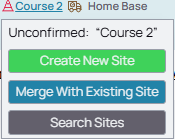
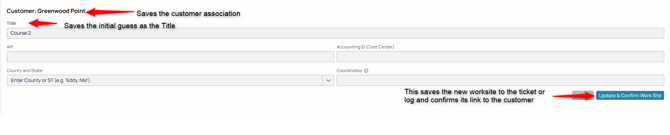
Create New Site
This navigates to a new worksite form, with some of the known or assumed fields filled out.
Merge with Existing Sites
This option allows the user to choose from existing worksites belonging to that customer and associate the ticket or log with that worksite, replacing it with the merge function. Navigates the backoffice user to:
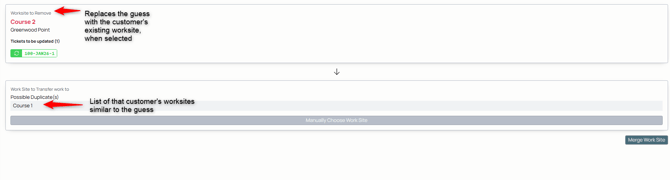
The user can choose from the options that are similar or, if they know an option less similar exists, they can manually choose it:

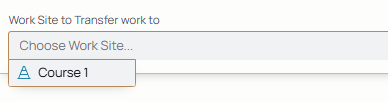
Taking them to a complete dropdown list of all their worksites. If merged with an existing worksite, all the ticket information goes to the merged worksite.
Search Sites
This takes the user to the customer's list of worksites to determine if there is a similar worksite.