
Work orders are Spearhead's tools to organize tasks that are opened by with a supervisor role, back office, or dedicated agent role. When a work order is created it is one of two varieties, differentiated by their parameters for execution:
Closed by Completion
This checkmark indicates that a work order is complete when the defined parameters for the job have been met. This gives a supervisor the option to automatically create one ticket to complete the work from the work order generation page. 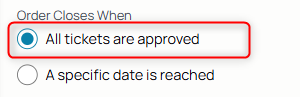
To Create a ticket from the work order, use the toggle to pull up the ticket form:

You can then create a ticket from the order.
NOTE:
- If the ticket requires a signature for it to be complete, use the toggle to indicate that.
Closed by Date
This checkmark indicates that a work order is complete when a set date has been reached, like a month or a quarter. This allows for the creation of multiple tickets attributed to one customer.
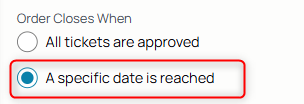
This pulls up a date range selector, indicating when the work order both opens and closes.

To Create a ticket from the work order, the completed work order populates and use the Add Ticket icon:
You can then create a ticket from the order.
This is how Work Orders function in your workflow:
- Backoffice or Supervisor creates a work order for a customer either to be concluded by date or completion.
- A Dedicated Agent or Supervisor is notified of the open work order and accesses it from their workflow to add tickets.
- The Agent fulfills the ticket criteria by logging work to it in the form of labor, miles, expenses, or the fulfillment of products and services.
Products / Services
The Order's items tab is what attaches the products and services to the work order:

You can create a work order without products and services and if they're added to any tickets, they're included as Add-on selections.
Add the items in the form of products and services to the work order and its tickets. Adjust their quantities accordingly.

NOTE: Products and services only appear on the work order form selection dropdown when they are priced and affiliated with the customer's pricebook of the work order.